August 30th, 2023
New
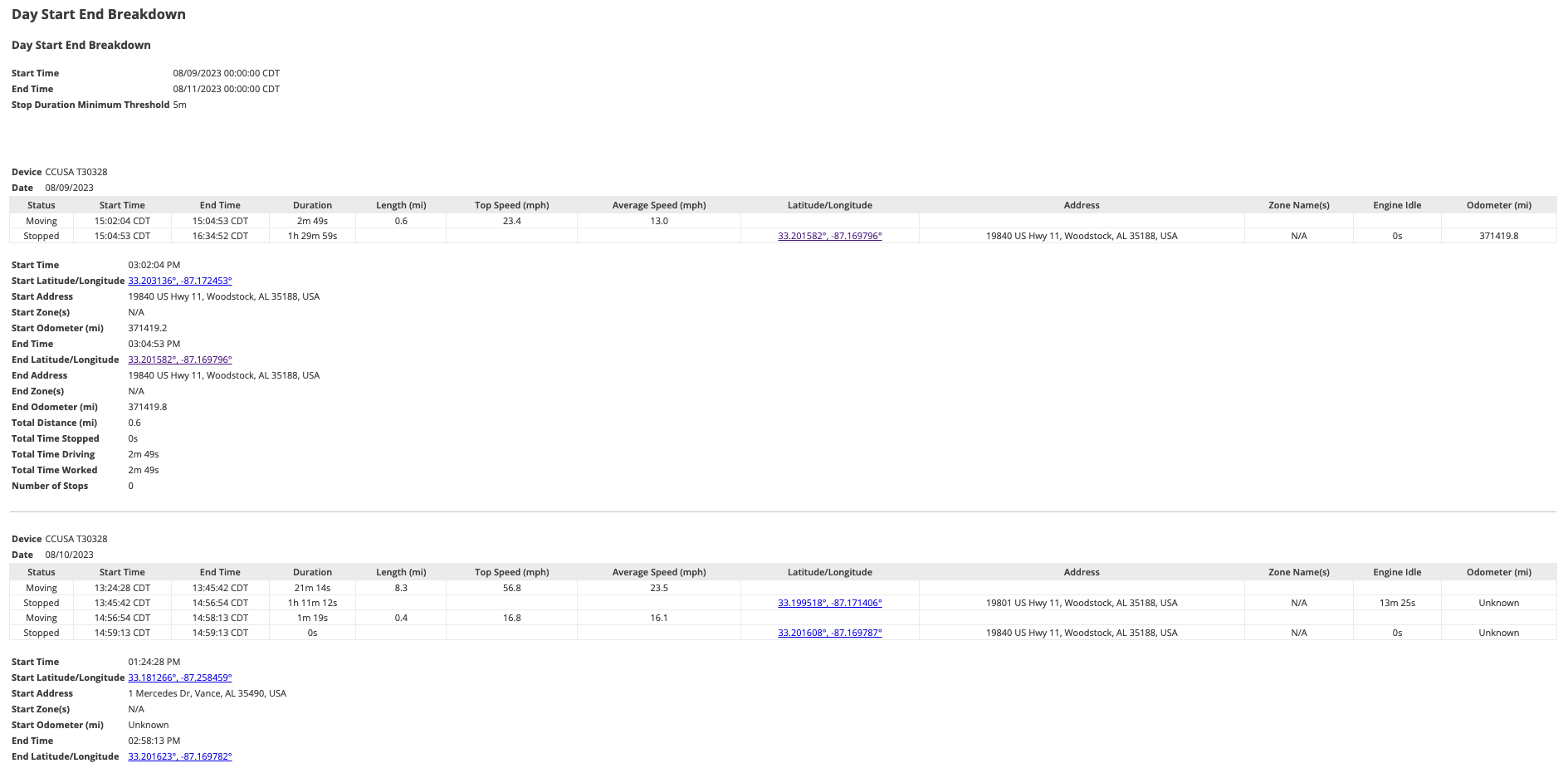
Day Start End Breakdown Report
This report aims to allow customers to see the Drive and Stop information from the beginning of the day to the end, every selected day for each chosen device. Below is an example of the report.
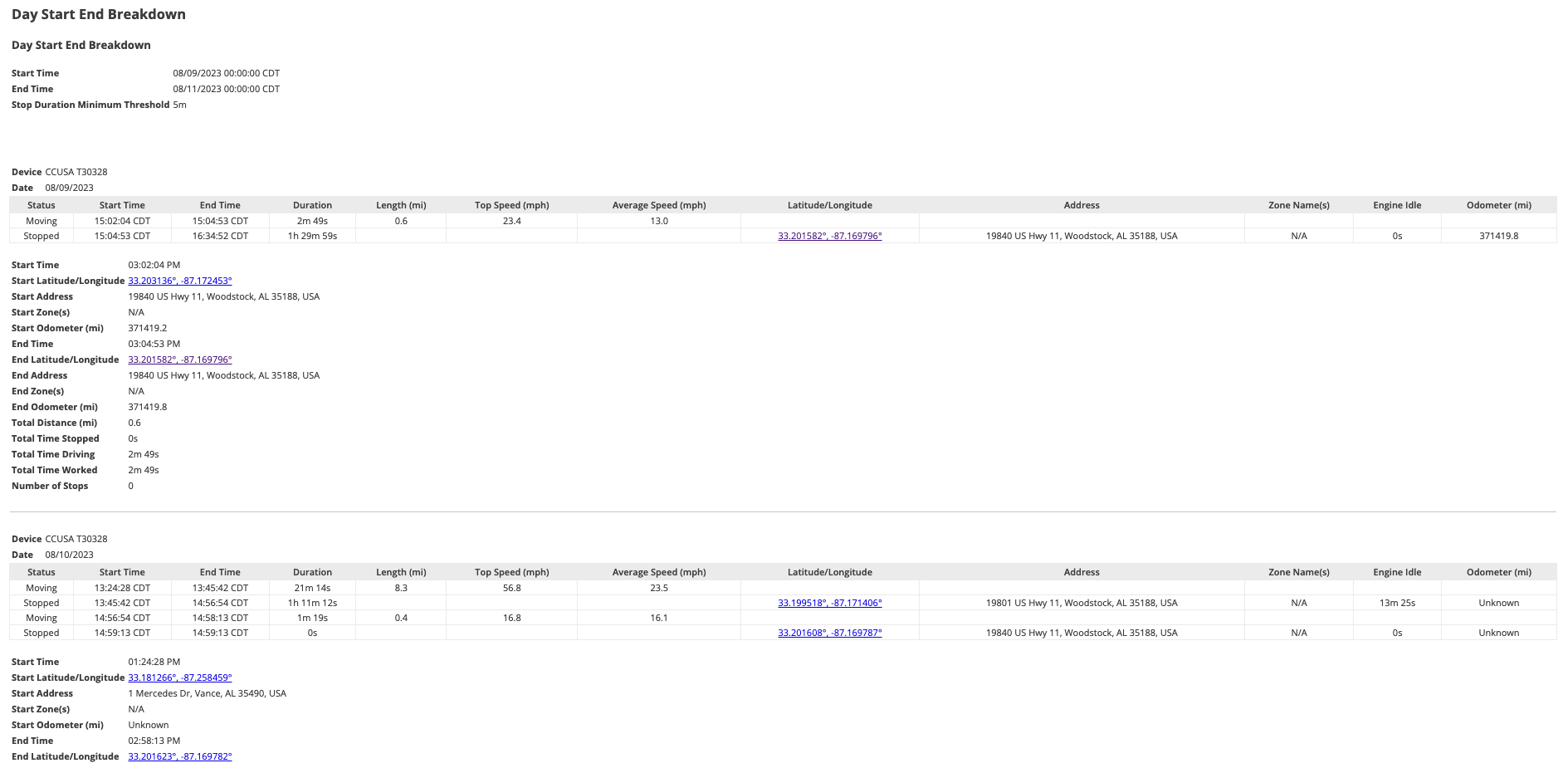
Each table represents a device and a date. Each row represents the drive-stop information for the device and date. The footers display additional information on the drives and stops.
How to access the report:
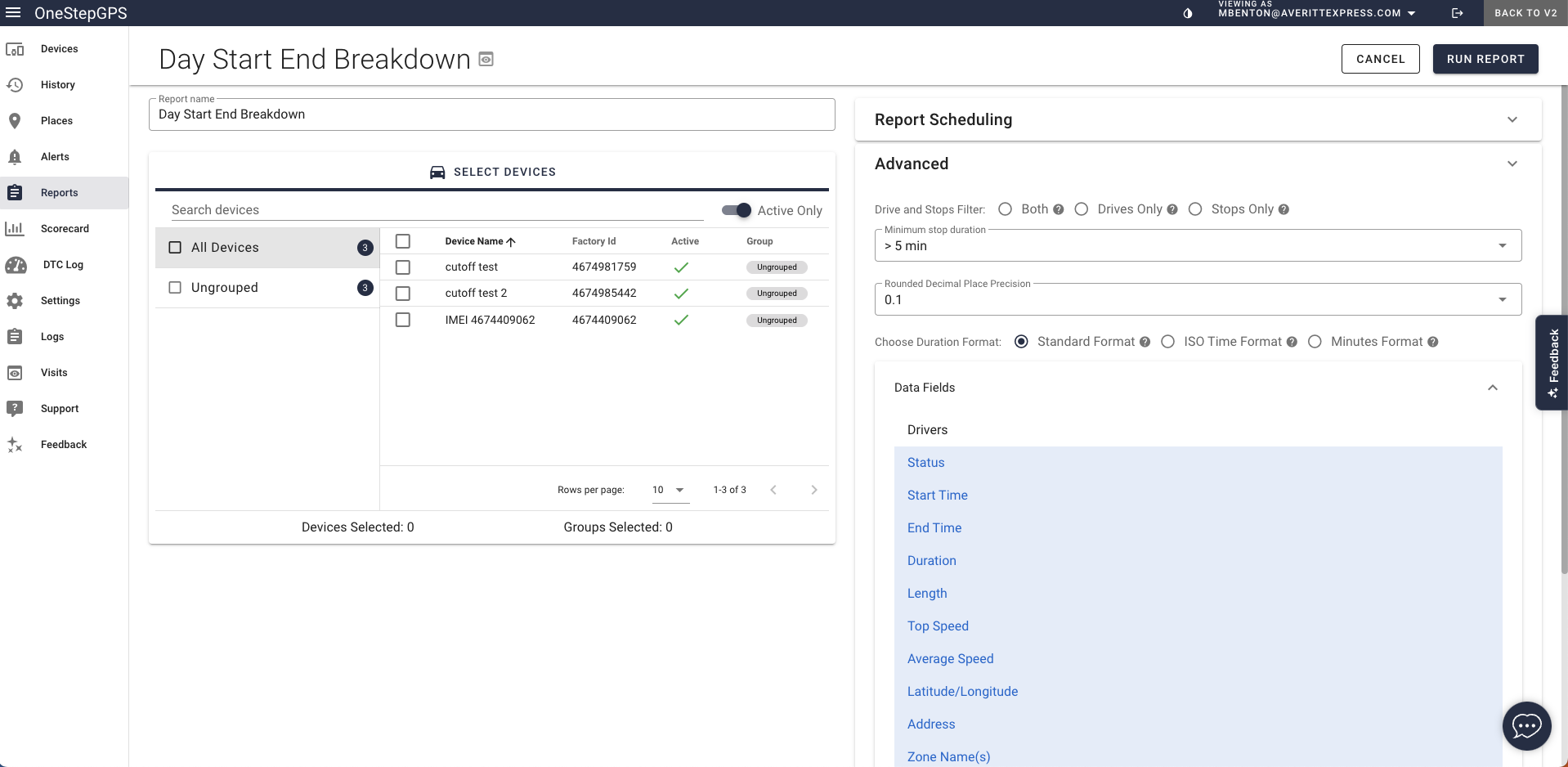
Access the report by clicking on Reports in the Menu bar.
Under the Daily Operations section click on Day Start End Breakdown.
Customize the report by selecting the device/s and time range to apply to the report.
Write a comment...