August 15th, 2025
New
New Feature – Customize Your Sidebar
We’ve introduced a new Edit Sidebar feature!
By default, you’ll see all the items you currently have access to. Now, you can easily remove any features you don’t need from your menu list, keeping your workspace clean and focused.
How it works:
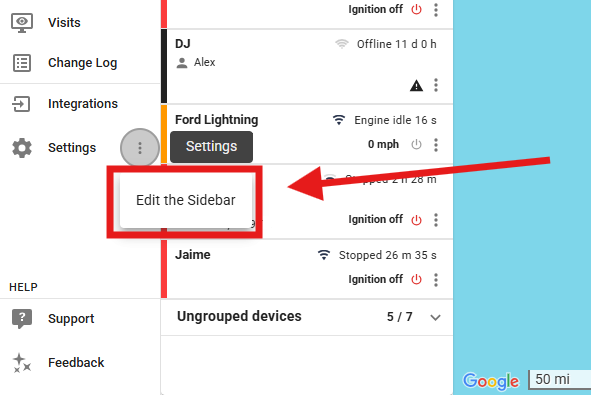
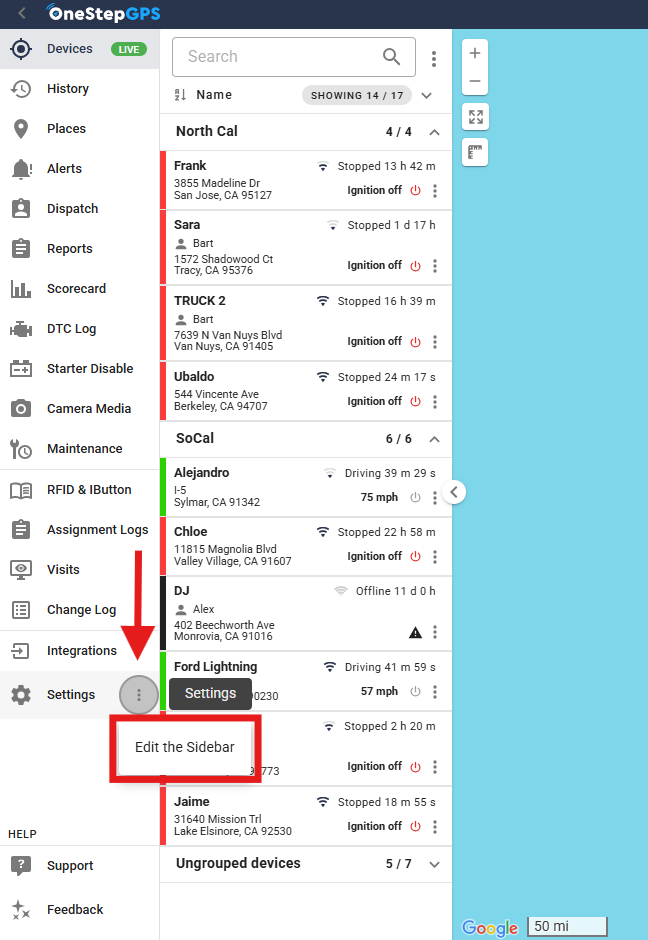
Click the three-dot menu next to Settings at the bottom of your sidebar.
Select Edit the Sidebar.
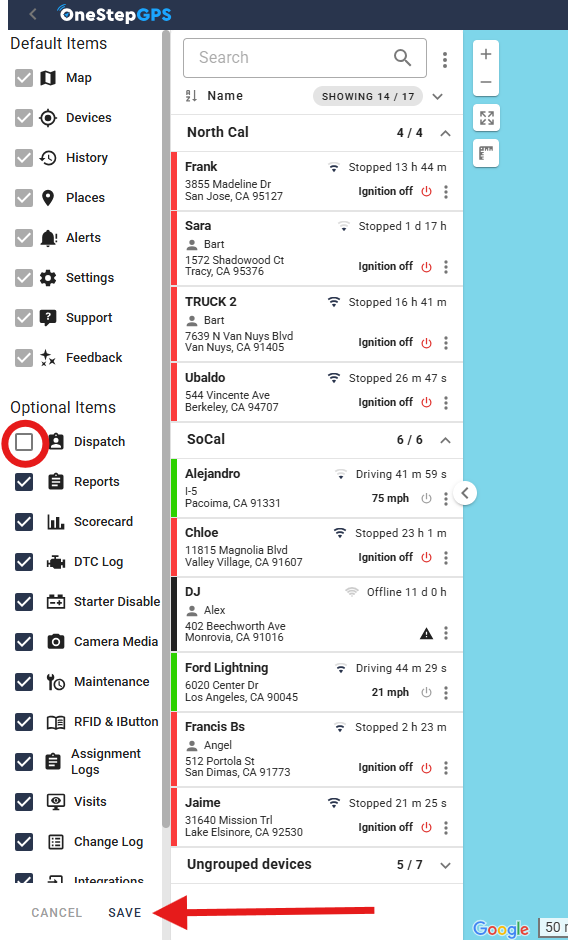
Uncheck any features you don’t need.
Click Save.
This update helps you streamline your navigation and focus only on the tools you use most.
Write a comment...