August 30th, 2023
New
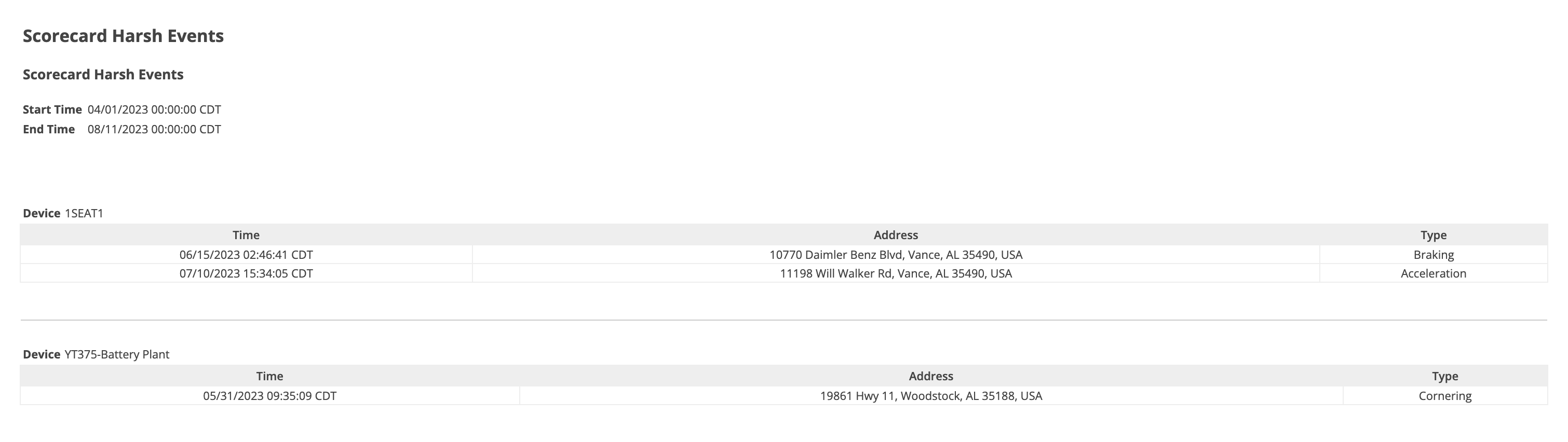
Scorecard Harsh Events Report
This new report allows customers to easily access the Harsh Events for devices that have been selected in a given time range.
This report can be generated in two ways:
First option:
Access the report page by clicking on Reports from the Menu bar.
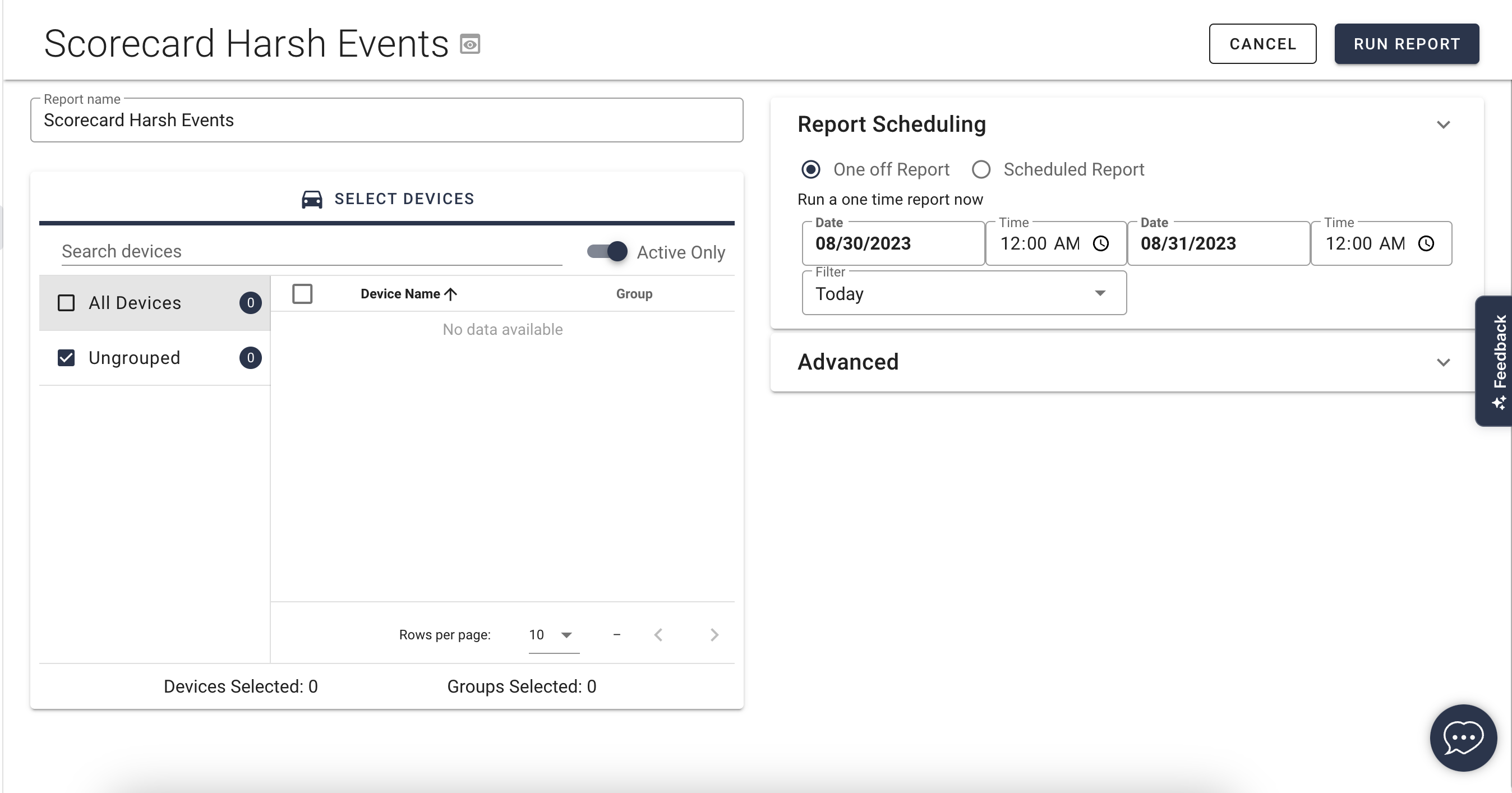
Then under the Alerts section, click Scorecard Harsh Events. This allows customers to create these reports. Just like any reports, customers will be able to customize the report by selecting which device or devices to apply it to as well as the time range.
Second option:
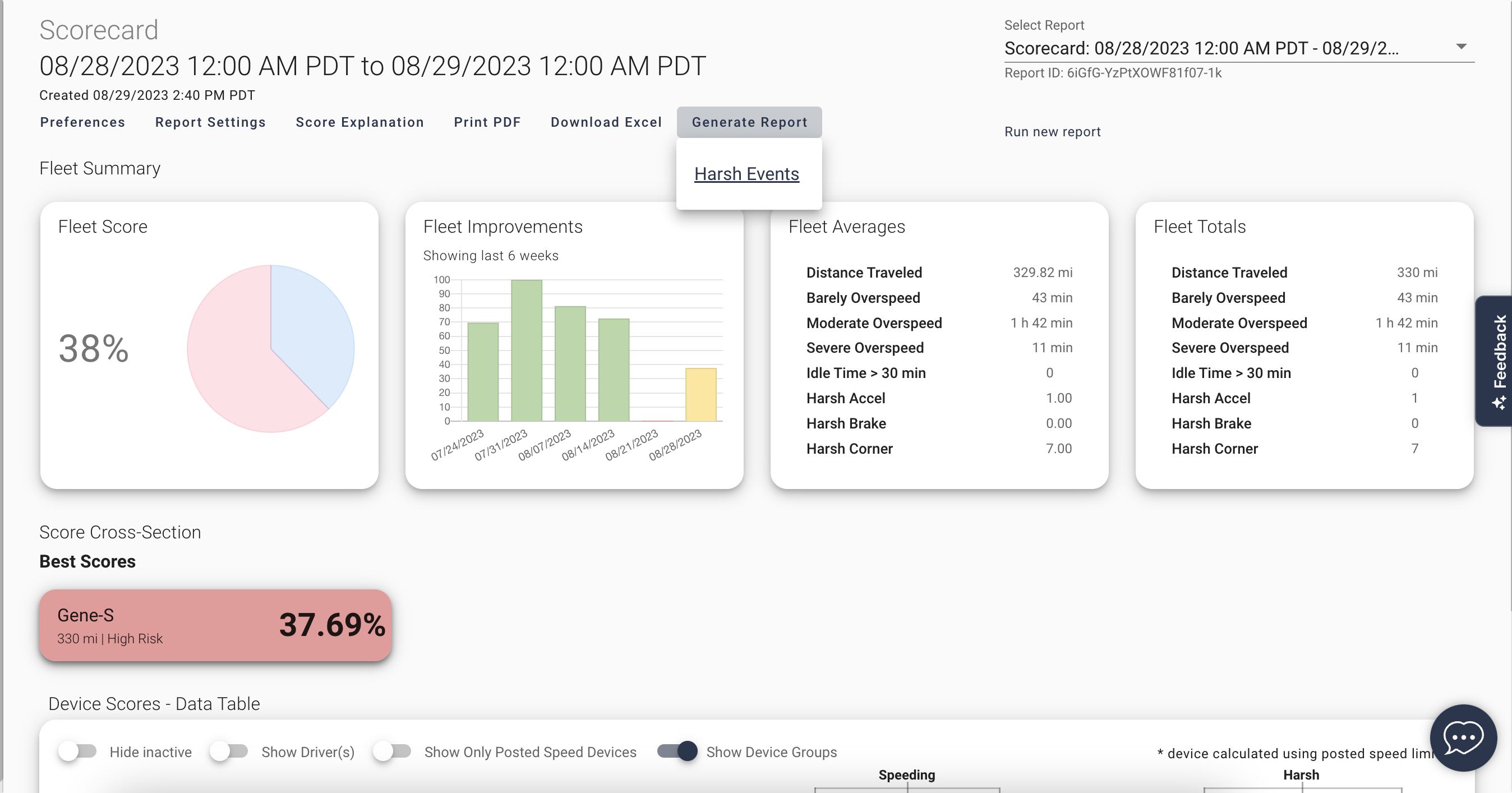
Access the report by clicking on Scorecard from the Menu bar.
Click on Generate Report right under the time range.
In this case the scorecard master time and devices and drivers will be captured.
By default, the report is downloaded as an Excel document. If another format is preferred, this can be found in the Generated Report tab.